Thursday, March 21, 2013

How to Play PS2 Games on PC with Emulator


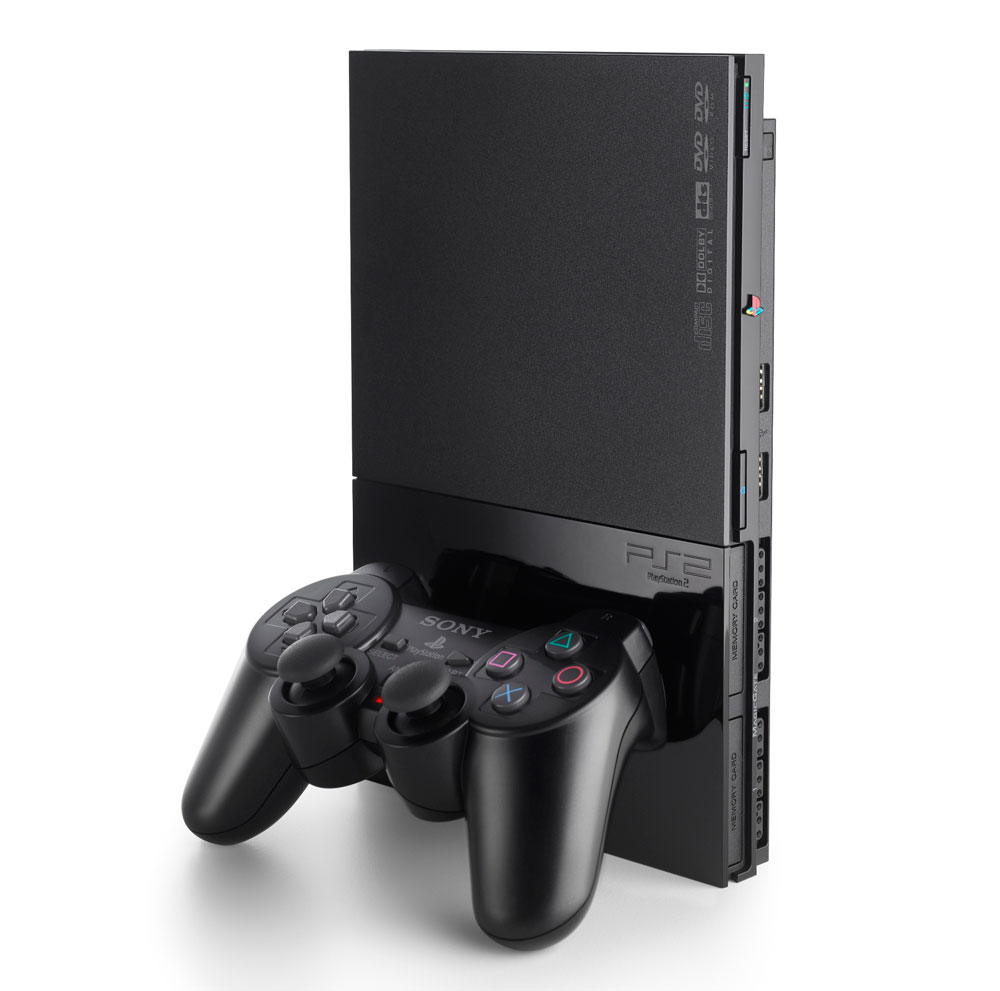
We’ve always wanted to play PS2 games on our PC. Well, now you can finally play your PS2 games without many issues using the PCSX2 v 0.9.8 emulator for Windows and Linux, created by the same team that brought you PCSX (a Sony PS 1 emulator).
It’s been 2 long years in development, but the improvements made are well worth the time. This step by step guide will help you install PCSX2 v 0.9.8 emulator and play PS2 | Playstation 2 games on your PC.
Just a note: Norton Anti-Virus is falsely reporting as a virus, here is the report to prove that it is safe. (Virus Report)
Downloading

Downloading differs depending on what OS you are on.
Windows:
Full installer: 12.1MB / exe: Download
Web installer: 3.05MB / exe: Download
Binaries: 2.72MB / 7zip: Download
NOTE: Full installer comes with Microsoft Visual C++ Redistributables, which you would use for offline installs of PCSX2. Web installer optionally fetches the Redists from Microsoft.com, if you do not have them already installed on your machine.
Linux:
Binaries: 2.85MB / 7zip: Download

NOTE: On Linux you can fetch the binaries or simply use launchpad
Sourcecode:
Archive: 10.0MB / 7zip: Download

Steps to Downloading:

STEP  1: Click on download link above
STEP  2: Choose components, We are doing a full install for purposes
NOTE:  The full install will automatically install Microsoft Visual C++ Redistributables if needed

STEP  3: Run Set-up Wizard
Choose directory where you store your roms
Enjoy!

Features:

  • There is a totally new threaded GUI including Widgets to make the entire experience better for you.
  • Newly provided Linux Support, with a cross platform UI. So any changed will affect Windows and Linux the same.
  • New memory card manager.  Including such new characteristics as custom nameable(or downloaded) cards and sizes varying from 8-64MB
  • Improved host file systems and ELF loading support
  • New patches and hacks are auto applied by default
  • New VU compiler named microVU which brings higher compatibility to the older superVU recompiler
  • New VIF unpacker recompiler which is more secure and precise than the previous version
  • Improved SPU2-X sound plugin which boosts sound generation, providing new audio outputs and filtering options improving compatibility
  • 65% games are totally playable and, 85% are “ingame” 1500 total games for you to enjoy!
There are several new changes to the GUI as well which include:
  • Totally new menus that give quicker config options
  • Anytime pause and resume options. Completely safe and effictive
  • Anytime setting options,  configuration plug-ins as well
  • Several new options that make game play way more fun
  • Hew tips on how to use settings and options
  • Brand new config with a friendlier UI, Including a set-up wizard, defualt reset buttons, as well as global pre-sets
  • Games come translated with many languages to pick from
  • Usable with Aero Glass, and Windows Eye Candy too
  • Greatly improved for Linux!!
Many significant changes have been made to the core to boot:
  • The emulation core has been debugged, doctored up, and given a general face-lift
  • Innumerable bugs and code generations have been remedied for better game-play
  • All new VIF complier
  • GS rewrite makes for accelerated and balanced improvements from previous versions
  • The database recognizes the game that is being played, and will automatically apply any applicable patches or fixes needed
  • PLUGINS

  • GSdx is way faster and consistent than any previous versions
  • SPU2-X is now the desired plug-in for this software having evolved, all the SPU2 quirks allowing it to run many many more games!!


how to run android game on pc

3 Best ways to run/play Android apps or games on your Windows based comp

Developers have been developing lots f new Android applications and it is very difficult to test each of them by installing in the phone or Tab. So the need came out and people think to develop user friendly softwares to run android applications and games on windows based environment. I mentioned here “user friendly” because the Android SDK is available to preview and run apps on Windows based computer or laptop, but they are not user friendly and difficult to use for all people.


In this article we list out the software programs that can be use to run and test your Android applications and games on Microsoft’s Windows operating system. The memory of phone is limited and it will be waste of battery to download and check or preview lots of android applications on mobile.  

Need to run Android games and apps on Windows based computer:

     Play Interesting Android games on PC:

Suppose you like a racing game in your mobile and want to play it on PC with full screen. But unfortunately the game is only for android not for windows then? You will need to sue any Android emulator software that can run the game inside your windows operating system virtually just like it run in android.
·         Test the applications before they hang your device:
In first paragraph we discussed that, it is difficult and not easy to test each and every application. Many applications use camera, Bluetooth and many tools from your android device and id the applications I not fully tested they can harm your device. I am saying the applications which are outside android market and under beta version.

The applications which can be use to run android apps and games on Windows based system:

1)      BlueStacks:
how to run android with windows 
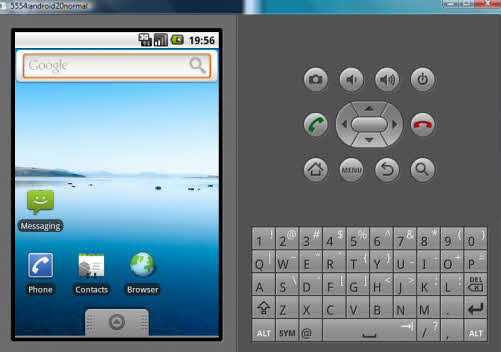
This is one of the best user friendly application that can be use to run your android games and applications on Windows. Still it is in beta version. You can download the alpha version from this link.
Or you can just visit the official website to download the latest version:
The best feature of this program is you can run any Android application and game in full HD screen. Also you can download any app directly from the android market if you have a working internet connection to computer.
The procedures are simple and just download it and install then you can find the option of load app or download it from the market.


2)      Android SDK (software development kit):
 android sdk for pay games on windows
This is the default tool available for android apps developer and also can be use for common people just to test apps and play games inside the windows environment. Bu problem is only that the set up is not easy and some steps to do before going to play and run Android apps.
Download the Android software development kit from following link.
To see the details setups see this link or this one.


3)      Live Android:

Live android image 
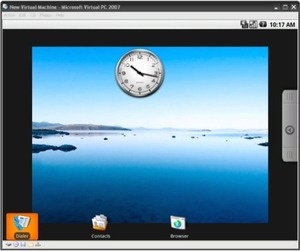
Live-android is another good applications to run android programs on x86 based windows system. This is very similar to 1st one and the official website for this:
To download go here
And you can download the torrent file of the ISO file available in two parts. After downloading merge the parts into single ISO by HJsplit software. Mount it any virtual mounting software like Alcohol or UltraISO and install it.


Saturday, March 16, 2013

How to remove SD card(memory card ) password


The use of memory cards is increasing day-by-day, flash memory being one of the most crucial. Micro SD Cards</gras> are compact space saving memory devices which can create a headache if their password is lost. This article will discuss the way to find out the memory card's password quickly. When the password to a Micro SD Card</gras> gets lost, the card is blocked and none of the information inside it can be accessed. Interfacing your computer and the mobile via Bluetooth can restore and reset the password. Infrared can also be used to regain access to the files.


This article tells you how to recover a a micro SD card password and micro SD card password reset.
This document deals with the issue of losing a password for a MICRO SD card. If the password for the card is lost then it will be blocked for further use. In such a situation, the user can interface their mobile with the PC using Bluetooth or Infrared, make the changes then find the password in the file created thereafter.

Issue

I have lost the password for my 1GB micro SD card and now it is blocked.

Solutions

Solution one:

  • Go to file manager on your mobile
  • In Settings choose system folders,
  • In the System folder, find a file called mmcstore
  • Send the file to your PC using IR/Bluetooth
  • Open the file in Notepad
  • The password you need for your memory card is located within that file

Solution two:

1. Insert your card into your phone, without accessing it through the phone

2. Run FExplorer and Open the path C:\system

3. Find the file called mmcstore, and rename it mmcstore.txt

4. Copy that file (mmcstore.txt) to your PC and open it in Notepad

5. Your password will be located within that file.

For Micro SD : -

Put the card in any E series mobile or N95 etc and format it. It will not ask for a password.

Friday, March 15, 2013

HOW TO CRACK A SOFTWARE(for beginners) by vishal

HOW TO CRACK A SOFTWARE(for beginners)

How to get started in the art of cracking
—————————————-

Introduction:
————-
Tons of new programs are coming out each day… But the bad thing is that
most of them are shareware, which means that you have to pay to get the full
version (most of the time, when you’ll register, the creators of the program
will e-mail you an unlock code)… But there are some guys called “crackers”
who can modify the program so that you don’t need to pay to get the full
version. In this tutorial, you’ll learn how to crack programs (except VB
programs). I hope that you’ll enjoy it.

———————————————-
| |
|1) Programs that you’ll need to get started |
|2) Basic things about cracking |

1) Programs that you’ll need to get started
—————————————-
Here’s the list of programs that you’ll need to get to start cracking:
WinDisassembler
Hex Workshop
Hacker’s View

2) Basic things about cracking
—————————

Please remember that in this tutorial, I expect that you never cracked a
program, so it should be easy for beginners.

Here is, step by step, what you have to do to crack a program which needs a
name and a serial number (assuming that there’s no good protection):

a) Run the program
cool.gif Go to the place where you can enter your name and a serial number
c) Type your name and any serial number
d) Write down (or memorise) the error message
e) Copy the program’s exe to .bak (for backup) and to .w32
f) Disassemble [progname].w32 with WinDisassembler
g) Click on search -> search. Type the error message, and click on search
h) Scroll up until you find this “Referenced by a (U)nconditional or
©onditional Jump at Address: | blabla” (where blabla is the address)
i) Go to this address by scrolling up (the addresses are writen on the left)
j) There should be “jne” written at this address.

h) Double-click on the line and memorise the offset (written on the status bar)
i) Launch hacker’s view and edit the exe files
j) Press F4 and select Decode Mode
k) Press F5 and type the Offset.
l) Press F3 and type 74 (which will change jne to je)
m) If the program isn’t very securised, it should be cracked now!
n) Run the program
o) Type your name and any serial number
p) It should work!

Note: If it didn’t work, then it means that the program is more protected.
you have to learn more about assamble language and practice hard to crack advanced softwares.

Crack any software and run the trial version forever?

Are you using any trial version software which is just too awesome but nearing its expiry and unable to find ways to crack it?

trial Crack any software and run the trial version forever?
Here is a trick to crack any software and run the trial version forever just in a couple of minutes.
Before starting with the crack you should know how these trial version software are programmed. These software’s always comes with 1 month trial period after which they will expire. When these software’s are installed for the first time they make an entry of Installation Date, Time etc. in the Windows Registry. Whenever we run these software’s they compare the current system date and time with the installation date and time. Thus they make out whether the trial period is expired or not.
Manually changing the system date and time to an earlier date and time will not be the right solution. To over come this there is a simple tool “RunAsDate v1.11” which can be used.
RunAsDate v1.11 is a small utility that allows you to run a program in the date and time that you specify. This utility doesn’t change the current system date and time of your computer, but it only injects the date/time that you specify into the desired application.
Tips to Follow:
-  Download this utility and have it ready all time
-  As soon as you install any trial version software just note down the date and time of installation
-  Inject the expiry date and time in the RunAsDate v1.11 tool. It is always safe you put in a date which is prior to your expiry date
runasdate Crack any software and run the trial version forever?
-  After expiry always run the such software’s using the RunAsDate v1.11 tool. Thus the trial version software will run forever!!!
Note: After expiry don’t run such software’s directly else the crack will no longer work.
Download: RunAsDate
I hope this trick would be of great help for most of us… Try it out and put in your comments!!!

Incoming search terms:

  • crack software
  • how to bypass trial version software
  • Free crack program for cracking trail programs pc download
  • all crack software
  • how to crack the softwares without crack
  • how to crack trial version software
  • RUN AS DATE V1 11
  • software crack
  • software crack tricks
  • software the allows trial programs to be used for ever

Thursday, March 14, 2013

How to Recover Deleted Files

Recover Deleted Files Using Recuva


We delete files by mistake, don’t we? And while deleting is easy, recovering them isn’t. Luckily there are free file recovery tools available. Recuva is one of them. It’s a pretty useful and feature-rich tool which can recover the files you deleted by mistake. It is free to download and easy to use.
Besides Windows computers, it also supports removable media like Smartmedia, Secure digital cards, Memory stick, digital cameras, Sony memory sticks, Compact flash cards and many more.
Note: According to Recuva developers, it can recover data from a formatted drive too. It can also recover deleted mail from your mail client. It supports Microsoft Outlook Express, Mozilla Thunderbird, or Windows Live Mail. We haven’t tested these features though.

How to use Recuva to recover deleted files

1. Download, install and run the program on your computer. A welcome screen will appear. Click “Next” to proceed.
recuva recover deleted files
2. It will ask you which kind of files you are trying to retrieve? Check any one of the given options. If you want to retrieve two kinds of files, ex. pictures and music then you cannot select both the options simultaneously. There’s a trick though. You can make use of advance option which I will discuss later in this tutorial.
recuva file recovery
3. Select the location where you want to retrieve the files from. Now the second option “On my media card or iPod” can come in handy if you want to retrieve deleted files from removable media such as phone’s memory card, iPod or digital cameras.
If you want to look into any specific location on your computer, then click on “Browse” button.
recuva-wizard
5. Browse for the folder. Here I selected C drive. because I want to retrieve images on my desktop which were accidently deleted by me few days ago.
browse-folder
6. In the next screen, click “Start” button. Don’t select deep scan option until you fail on your first attempt to recover the  file. Note that “Deep scan” could take over an hour depending upon the size of your hard disk.
recuva-wizard1
7. The process will start. I was amazed to see the speed of scan. It is really very fast. It scanned 38 GB of data within 5 seconds. Very effective. Now its time to see the result.
recuva-scan file recovery
8. It will show all the deleted files (Recuva doesn’t disappoint me. It shows more than 122 deleted files including the file I was looking for). To retrieve the file, check the box next to file name and click on “Recover” button.
recuva-recover files
9. Select the folder where you want to recover your file. You should select a drive or a folder different from the scanned drive (I scanned C drive to search all the deleted files so I selected D drive to recover those files). After selecting the appropriate location, click OK button.
browse-folder1
10. Now check the folder. You will get your file back. Now suppose you want to scan for deleted music. You don’t need to go back and start the process again. Just click on “Switch to advance mode” button in the opened Recuva Window.
recuva-advanced mode
In the advanced mode you can select any drive and media types from the drop down. There is “option” button available where you could select various options like language, view mode,  secure overwriting and other scan options.
recuva-advanced mode 2
This way you can use Recuva to recover deleted files. I found this tool useful because it is speedier and more effective than other similar utilities.
Download Recuva to recover deleted files.

Free internet call PC to Mobile

You can now make free calls from your pc to any mobile in the world. All you need is a mic with ear phones, a decent internet connection and Yahoo Messenger or Skype Installed.I’m now using this free call method and the great thing is that, this trick can be used to make unlimited call to mobiles all over the world and not limited to United states. It even works to make free local mobile calls in India.

So how do we make a call from pc to mobile phone for free?
Install Yahoo messenger or Skype. In case you don’t have it Google it and download the latest version.
Sign into your yahoo messenger or Skype using your yahoo id and password. Configure your microphone and headset if you have installed a fresh yahoo or skype software
Inside your Yahoo messenger dial +18003733411 and press enter(as shown in figure).
Make Free Call from computer to mobile using Yahoo messenger or Skype
Now a small window pops up like the one shown below.
Free Call from Computer To mobile using Yahoo Messenger
An operator greets you with a recorded welcome message along with an advertisement and asks you to select one of the Free411 service. Just hear the services options until they say the last one as “Free Call”. When you hear this, don’t press any number on your keyboard and instead SAY “Free call” loudly on your microphone connected to your PC.
After this voice message is detected by their system, they will run a short advertisement of their sponsor and make sure you don’t press any number at this time.
WAIT UNTIL YOU HEAR A BEEP SOUND after the following message “Please dial the phone number country code first, don’t forget to dial 1 for north America”
After you hear this message ,immediately dial the destination number of your choice along with the country code.(e.g. for north America it’s 1 and for India it’s 91)
Your call will get connected and you can talk for 7 minutes continuous for free. When it gets disconnected, repeat the same procedure again. You can make multiple and unlimited calls with this service.
It was never easy to make a free international call like this before.
So what’s the catch?
FREE411 service toll-free number is based in USA. This company gets paid for the advertisements from sponsors.
Are there any limits on the number of call which we can make?
No. There is no limit on the number of free calls which can be made through this system.
So enjoy this trick to make free international and local calls and make sure you don’t abuse the system.